
Popular topics

Popular topics

WEEX Affiliate Portal user guide: Dashboard and commission data
By: WEEX
|
0
Track your commissions and team performance: WEEX Affiliate Portal guide
Easily track your commissions, team conversions, and cashback ratios to review performance and make more informed decisions.
At a glance
- Homepage overview: View your "Today," "30-day," and "Total" commission figures on the homepage.
- Team dashboard: Go to "My referral overview (team)" to track deposits, trading activity, and new user conversions across your team.
- Strategy review: Check the "Referral link" section to confirm the futures and spot cashback ratios for your current referral strategy.
- Commission history: Go to "Commission stats" to filter and export data, or use the "Commission calendar" to review your daily commissions over time.
Note: Commission amounts, cashback ratios, and calculation methods are subject to the data displayed in the Affiliate Portal.
1. Homepage commission overview: Today, 30 days, and total
After logging in to the WEEX Affiliate Portal, go to the "My commissions" section on the homepage to view three key metrics and get a quick overview of your recent earnings.

My commissions: Today, 30-day, Total
Metric | Description |
Today | Total commission pending payout today. |
vs. Yesterday | Percentage increase or decrease in today's commission compared to yesterday. If yesterday's commission was 0, this value displays 100%. |
30-day | Total commission earned over the last 30 days from affiliates and direct invitees. |
Total | Total commission earned since March 15, 2025, from affiliates and direct invitees. |
Important: Today's commission refers to the amount pending payout today, not the commission generated in real time from today's trading activity.
2. My team overview: Deposits and trading activity
This section covers your entire team, including your direct invitees and users invited by your sub-affiliates.
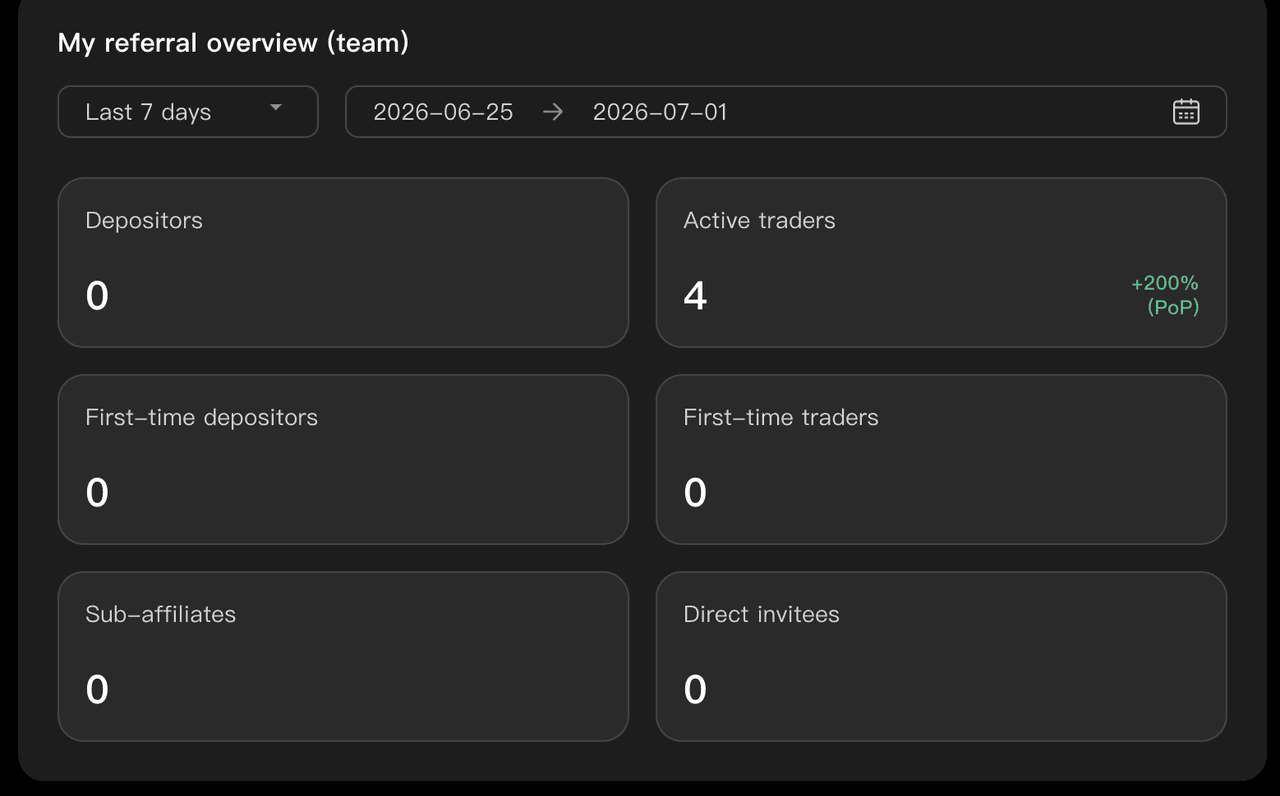
My referral overview (team) example
Metric | Description |
Depositors | Number of users who made an on-chain deposit, used P2P or Quick Buy, or deposited via bank transfer during the selected period. |
Active traders | Number of users who traded futures or spot during the selected period. Each user is counted only once, regardless of how many trades they made. |
First-time depositors | Number of users who made their first-ever deposit during the selected period, with no previous deposit history. |
First-time traders | Number of users who completed their first-ever futures or spot trade during the selected period, with no previous trading history. |
Sub-affiliates | Number of new sub-affiliates added during the selected period. |
Direct invitees | Number of new direct invitees added during the selected period. |
3. Referral links and cashback ratios: Check before inviting users
Go to the "Referral link" section to check the cashback ratios for your selected referral strategy.
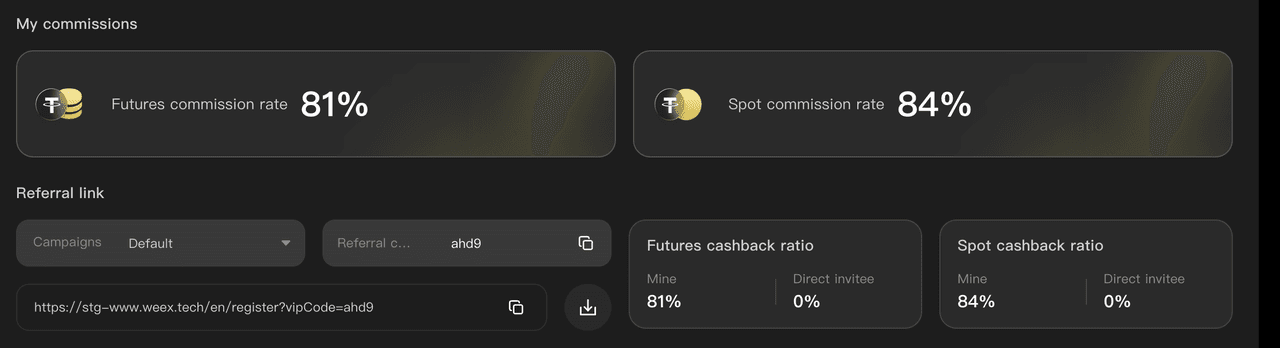
Referral link section: View futures and spot cashback ratios.
- Futures cashback ratio: View the futures cashback split between you and your direct invitees under the selected strategy.
- Spot cashback ratio: View the spot cashback split between you and your direct invitees under the selected strategy.
- Copy your referral link and share it with new users to invite them to sign up.
4. Commission details: Filter and export data
Go to the "Commissions" page to view total commissions and trading fees based on your selected filters.
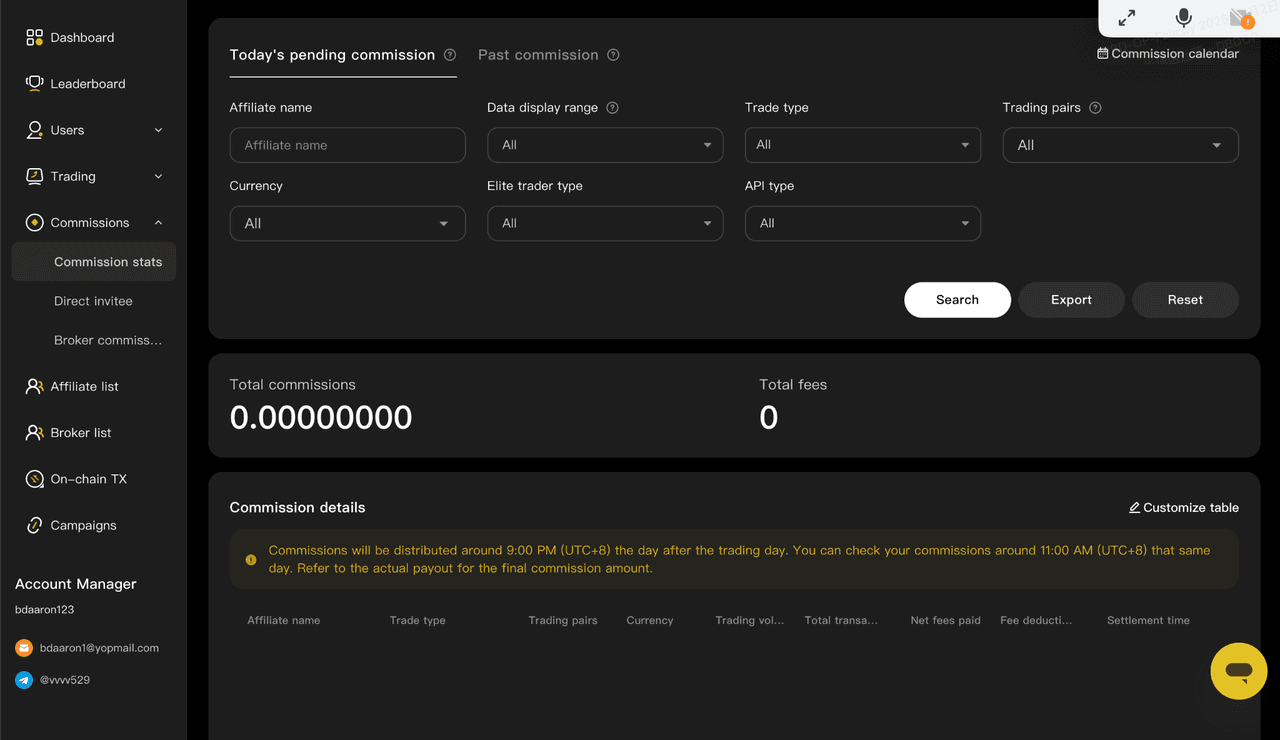
Commission page: Filter data to view total commissions and trading fees.
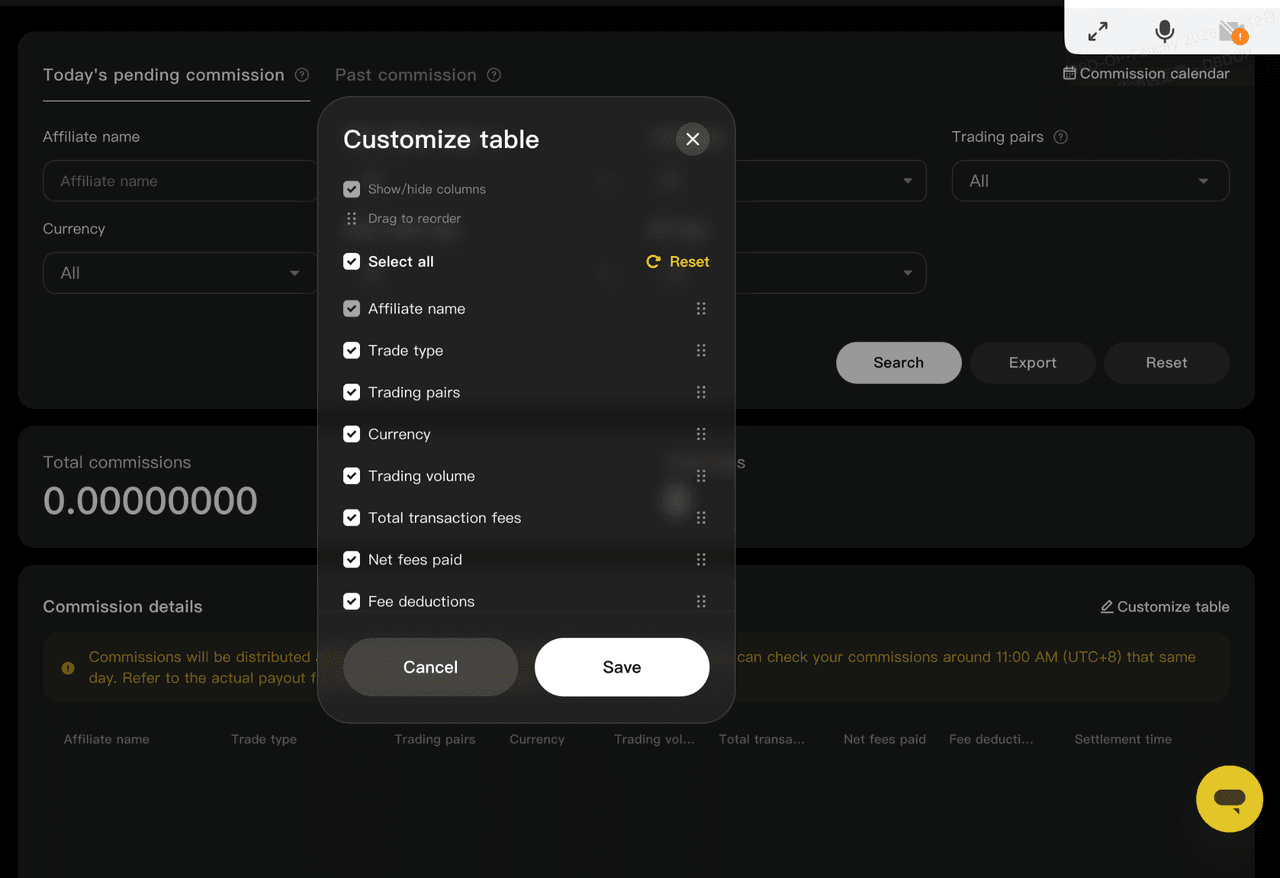
Customize table: Select the fields you want to display and save your settings.
- Select your filters and click "Search" to view the total commissions and trading fees for the selected criteria.
- Export your data for recordkeeping, performance reviews, or further analysis.
- Choose which columns to display so you can focus on the data that matters most to you.
5. Commission calendar: Review daily earnings
Use the "Commission Calendar" to track your daily commission amounts and the number of commission entries over time.
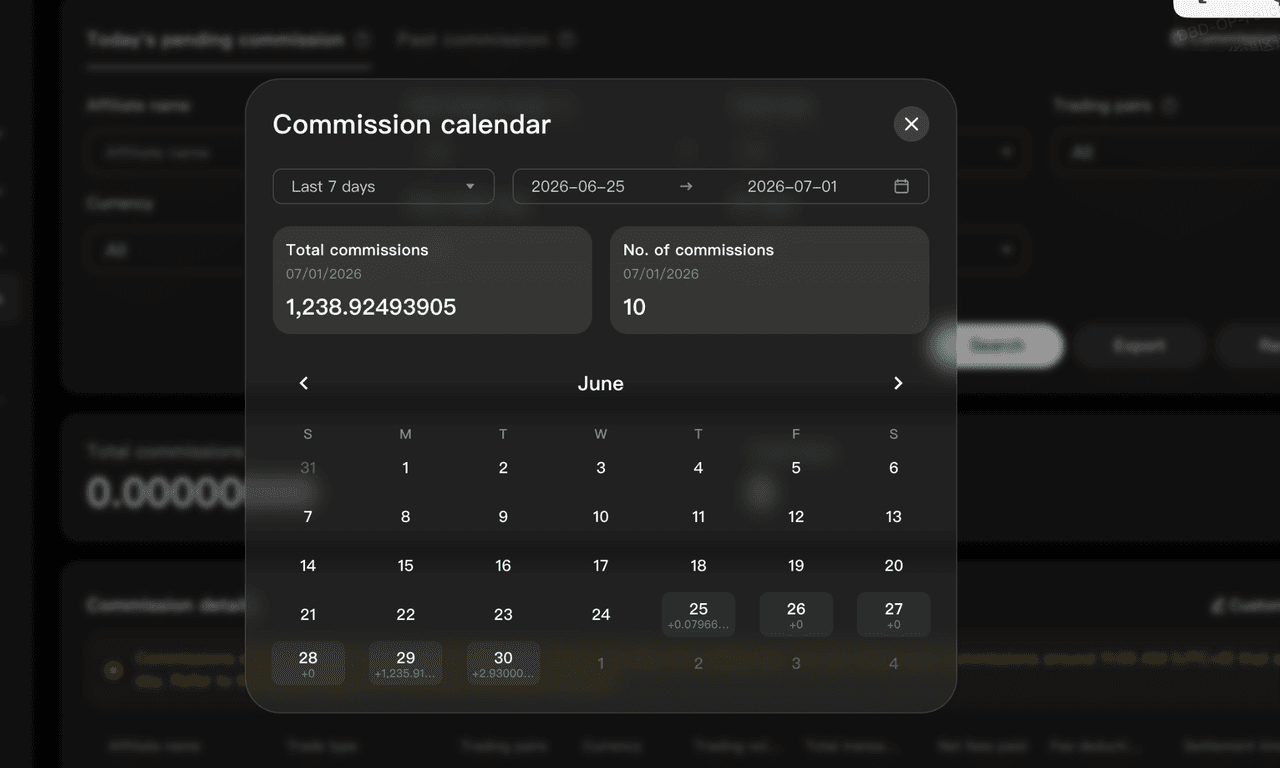
Commission calendar: View daily commission amounts and entry counts.
- Select the last 7 days or set a custom date range.
- View your total commission amount and number of commission entries for each day.
- Identify peak earning periods and assess how recent events or market movements may have affected conversions.
6. Recommended workflows
Use the following features based on what you want to track:
Goal | Recommended action |
Check daily commissions | View "Today" and the "vs. Yesterday" change on the homepage. |
Track team conversions | Check depositors, traders, first-time depositors, and first-time traders. |
Confirm cashback ratios before promoting | Check the current futures and spot cashback ratios before copying your referral link. |
Review weekly or monthly performance | Filter and export commission data, then use the "Commission calendar" to track changes over time. |
7. Important reminders
- "Today's commission" refers to commissions pending payout today, not commissions generated in real time from today's trading activity.
- Commission amounts, cashback ratios, and calculation methods are subject to the data displayed in the Affiliate Portal. These may vary depending on the selected strategy, product, and time period.
- Your commissions depend on your invitees' actual deposits, trades, and other activities. Earnings may vary, and historical data displayed in the portal does not guarantee or predict future commissions.
- Make sure your promotional activities comply with applicable local laws and regulations and WEEX affiliate program rules. Always use official channels and referral links to invite users.
- Exported reports may contain team-related information. Store and handle them securely.
About WEEX
Founded in 2018, WEEX is a leading global cryptocurrency exchange serving over 10 million users across more than 170 countries and regions. Focused on security, liquidity, and ease of use, WEEX offers over 1,500 spot trading pairs and up to 400× leverage on crypto futures. Beyond spot and derivatives trading, WEEX is expanding into AI-powered trading with real-time AI insights and trading tools, while exploring innovations such as Trade to Earn. WEEX also maintains a 1,000 BTC Protection Fund to enhance asset security and transparency. Features such as copy trading and advanced trading tools enable users to follow experienced traders and trade more efficiently.
Follow WEEX on social media
Instagram: @weex_exchange
TikTok: @weex_Official
YouTube: @WEEX_Official
LinkedIn: WEEX Global
Telegram: WEEX English Official
Related articles
Share
Gainers


Customer Support:@weikecs
Business Cooperation:@weikecs
Quant Trading & MM:bd@weex.com
VIP Program:support@weex.com
