
Popular topics

Popular topics

WEEX Affiliate Portal | Leaderboard user guide
By: WEEX
|
0
Track team contribution rankings: WEEX Affiliate Portal leaderboard guide
Use the "Leaderboard" feature in the WEEX Affiliate Portal to view user and team rankings by asset, trading pair, date range, and contribution type. Easily identify top contributors, track team performance, and make more informed decisions.
At a glance
- Go to "Leaderboard" in the left sidebar of the Affiliate Portal and filter by asset, trading pair, user type, and settlement end date.
- View historical data by setting a custom start and end date.
- Switch between five ranking metrics—Fees, Volume, Net deposits, Commission, and Referrals—without leaving the page.
- Choose to display the Top 10, Top 30, Top 50, or all results.
- Export leaderboard data for your records. Rankings are subject to the data displayed in the Affiliate Portal.
This guide walks you through how to access the leaderboard, apply filters, and use its key features.
1. View the leaderboard: Set your filters
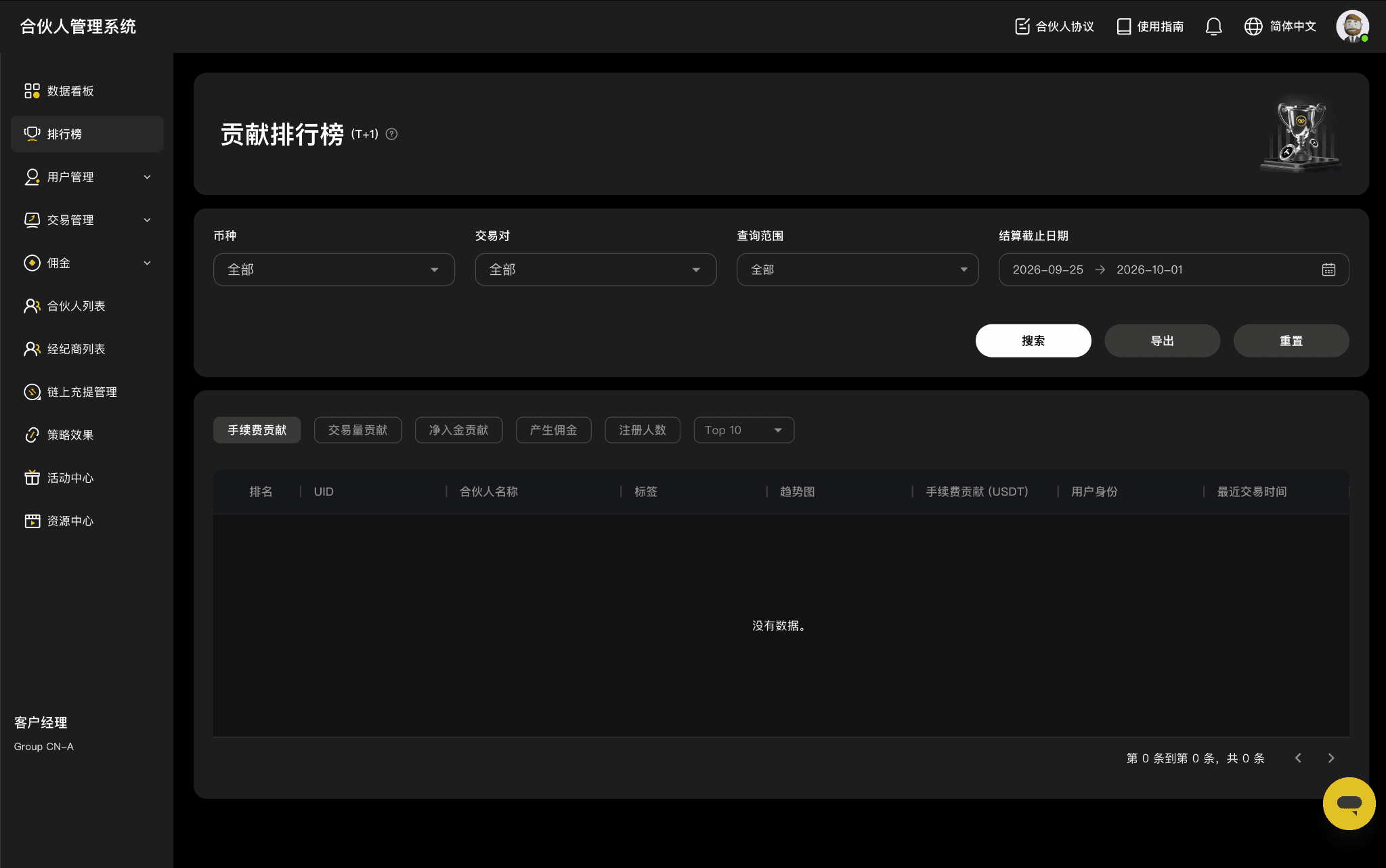
Log in to the WEEX Affiliate Portal and click "Leaderboard" in the left sidebar.
Set the following filters based on the data you want to review:
- Asset
- Trading pair
- Filter by
- Settlement end date
Once you've set your filters, use the following buttons:
Button | Action |
Search | View leaderboard results based on your selected filters. |
Export | Download the current leaderboard report to your device. |
Reset | Clear all selected filters with one click. |
2. Select a date range: View historical data
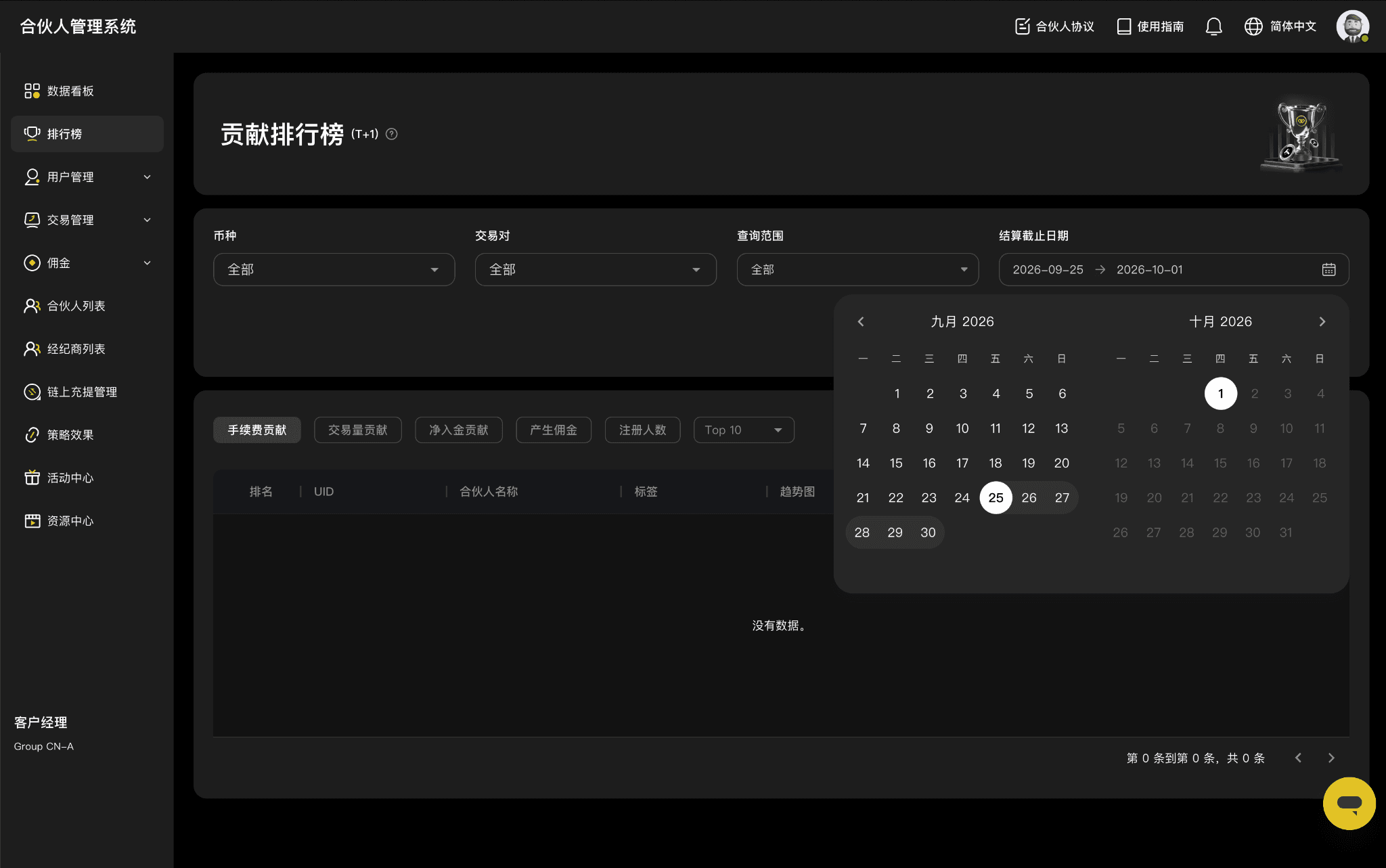
Click "Settlement end date" to set a custom date range.
You can review historical team performance for specific events or any period you choose.
3. Choose a ranking metric: Five ways to measure contributions
Switch between five contribution metrics on the same page without reloading or refreshing:
Ranking metric | Description |
Fees | Rank users or teams by the trading fees they generate. |
Volume | Rank users or teams by their trading volume. |
Net deposits | Rank users by their net deposits. Net deposits = total deposits − total withdrawals. |
Commission | Rank users or teams by the commissions they generate. |
Referrals | Rank sub-affiliates by the number of users who sign up through their referral links. |
[Image: Ranking metrics and top N options]
4. Choose how many results to display: Top 10 or all
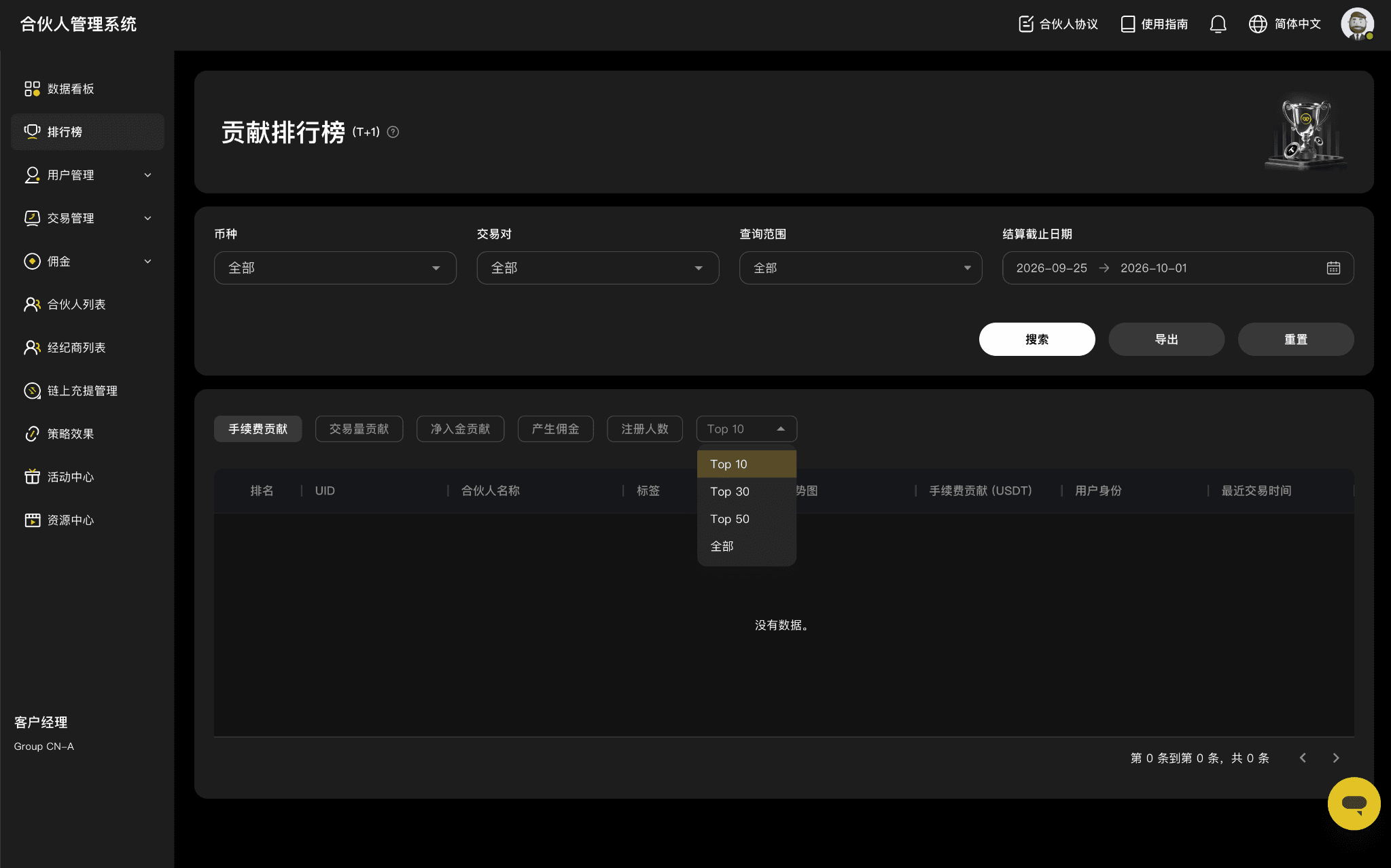
Adjust the number of leaderboard results based on what you want to analyze:
Display option | Best for |
Top 10 | Quickly identify your highest-contributing users or key affiliates. |
Top 30 / Top 50 | Assess mid-tier contributors and identify opportunities for growth. |
All | Review the full list of contributors for more detailed team analysis. |
5. Recommended workflows
Use the following features based on your goals:
Goal | Recommended action |
Identify top contributors | Select Top 10 and rank by "Commission" or "Fees." |
Review team performance over a specific period | Set a custom date range under "Settlement end date" and select Top 30, Top 50, or All. |
Assess overall team performance | Keep the same filters and switch between fees, volume, net deposits, and referrals. |
Save data for further analysis | Click "Export" after running your search. |
6. Important reminders
- Net deposits are calculated as total deposits minus total withdrawals.
- Leaderboard results are subject to the data displayed in the Affiliate Portal. Rankings may vary depending on the selected asset, trading pair, user type, and date range.
- Rankings reflect historical performance within the selected scope and do not guarantee or predict future commissions or team performance.
- Leaderboard results and exported reports may contain user information. Use this data only for authorized affiliate business purposes, store it securely, and do not disclose it to third parties.
- Make sure your promotional activities comply with applicable local laws and regulations and WEEX affiliate program rules.
About WEEX
Founded in 2018, WEEX is a leading global cryptocurrency exchange serving over 10 million users across more than 170 countries and regions. Focused on security, liquidity, and ease of use, WEEX offers over 1,500 spot trading pairs and up to 400× leverage on crypto futures. Beyond spot and derivatives trading, WEEX is expanding into AI-powered trading with real-time AI insights and trading tools, while exploring innovations such as Trade to Earn. WEEX also maintains a 1,000 BTC Protection Fund to enhance asset security and transparency. Features such as copy trading and advanced trading tools enable users to follow experienced traders and trade more efficiently.
Follow WEEX on social media
Instagram: @weex_exchange
TikTok: @weex_Official
YouTube: @WEEX_Official
LinkedIn: WEEX Global
Telegram: WEEX English Official
Related articles
Share
Gainers


Customer Support:@weikecs
Business Cooperation:@weikecs
Quant Trading & MM:bd@weex.com
VIP Program:support@weex.com
