
Popular topics

Popular topics

Affiliate Portal & website unified account user guide
By: WEEX
|
0
Affiliate Portal features guide
I. Overview
The Affiliate Portal and the WEEX website use the same account.
After logging in to the WEEX website, users are automatically directed to the appropriate page based on their account type:
- Regular users: Can apply to become an affiliate.
- Affiliates: Can access the Affiliate Portal directly without logging in again.
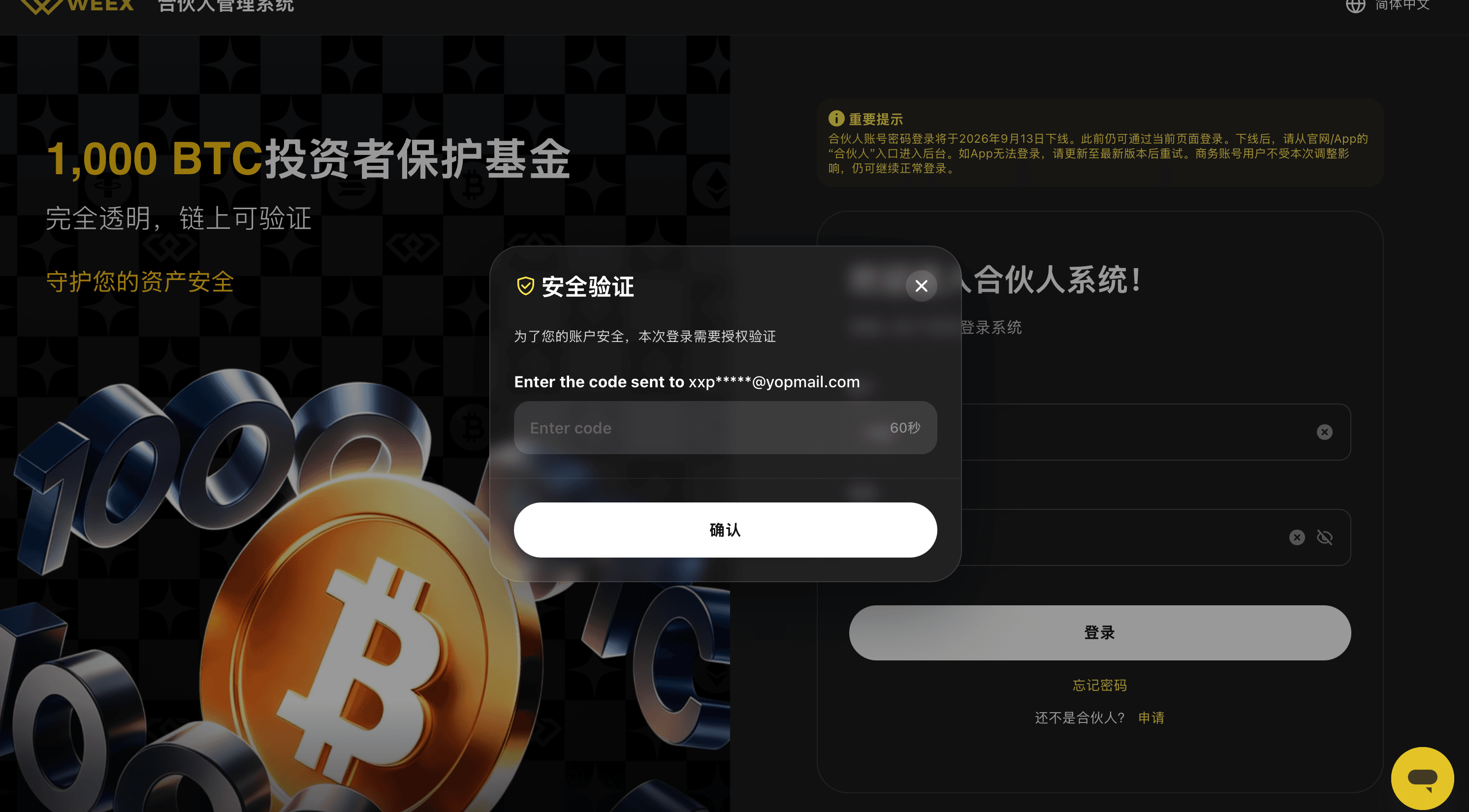
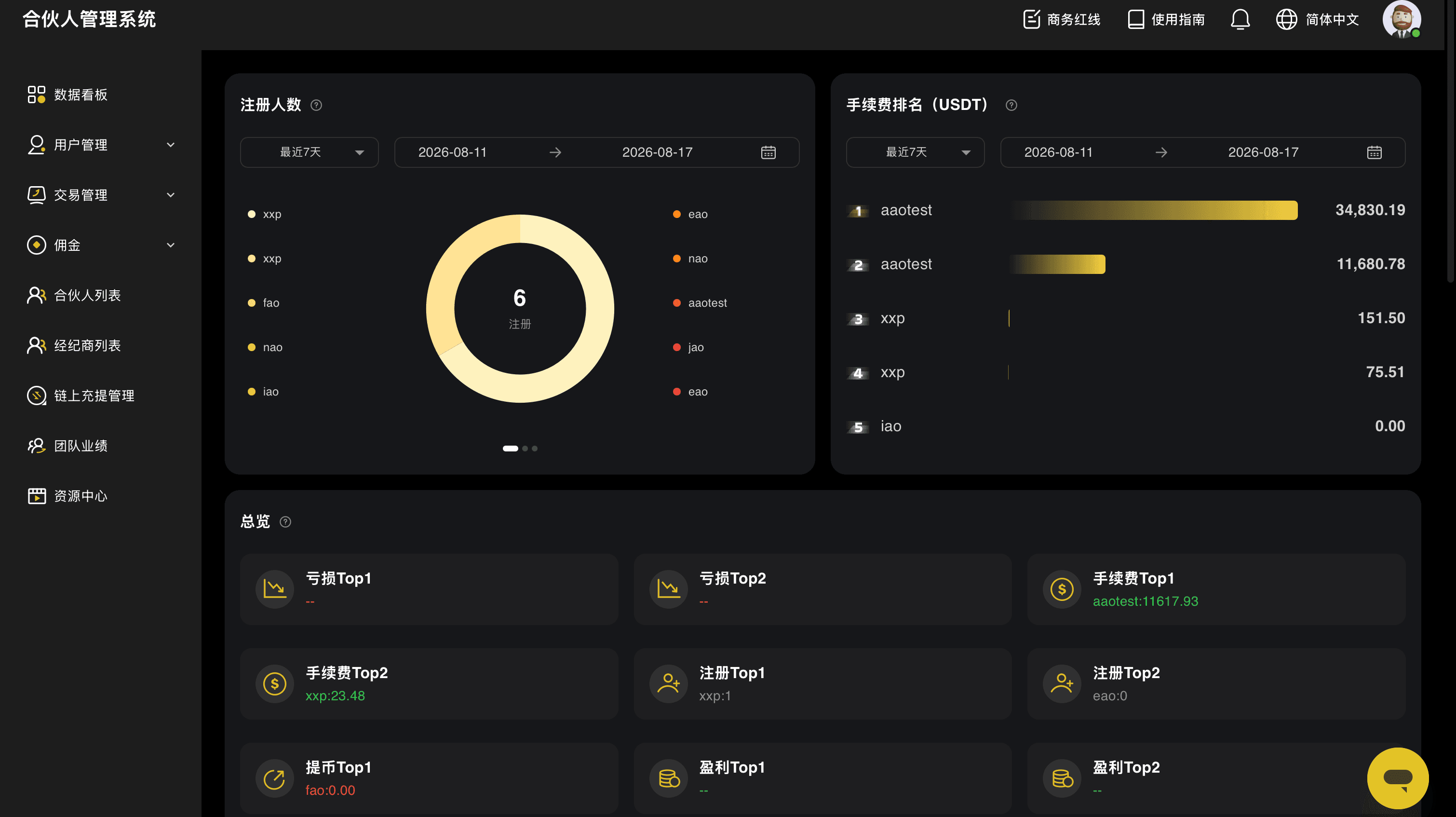
- BD staff: Continue using their existing login method to access the Affiliate Portal admin panel with a dedicated username and password.
Affiliates can seamlessly access the Affiliate Portal without needing separate login credentials.
II. Regular user guide
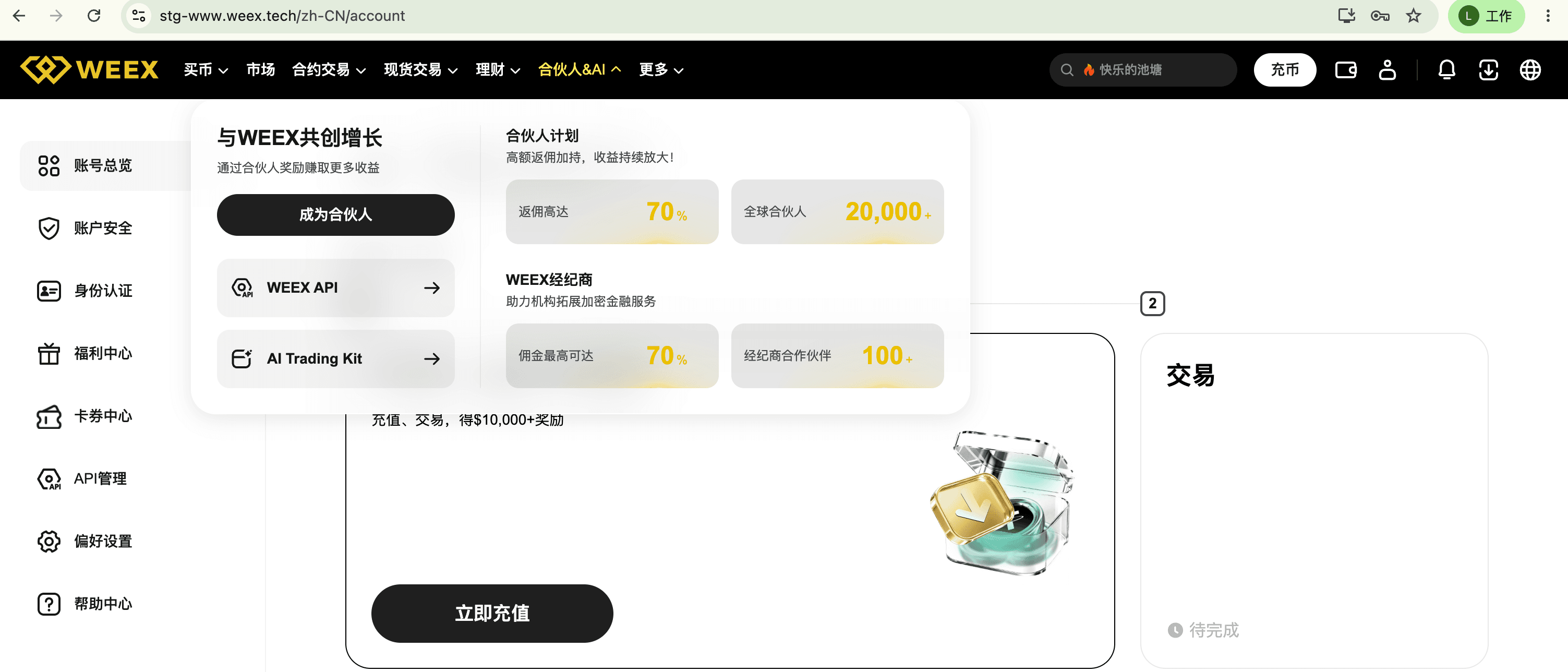
2.1 Apply to become an affiliate
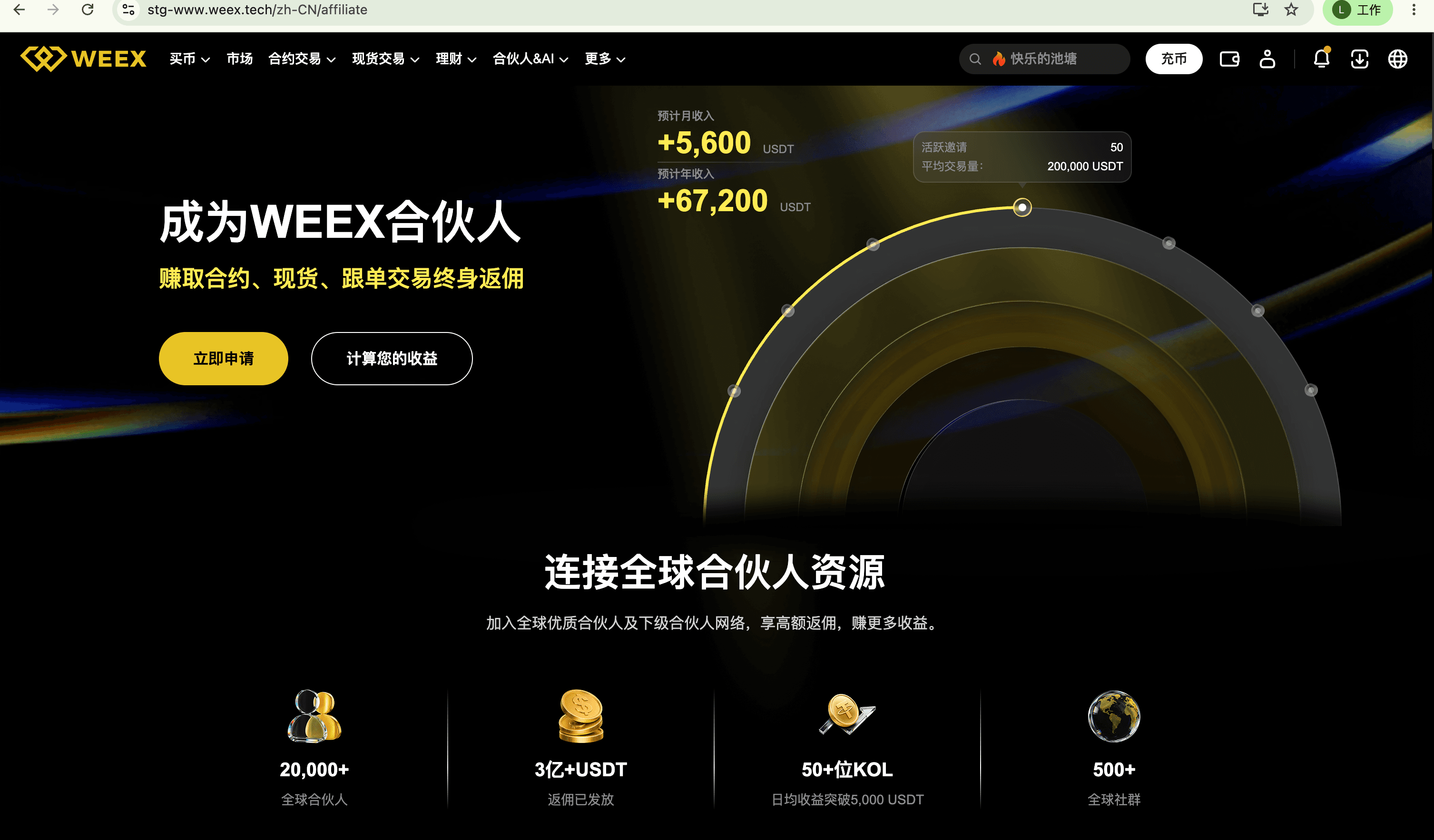
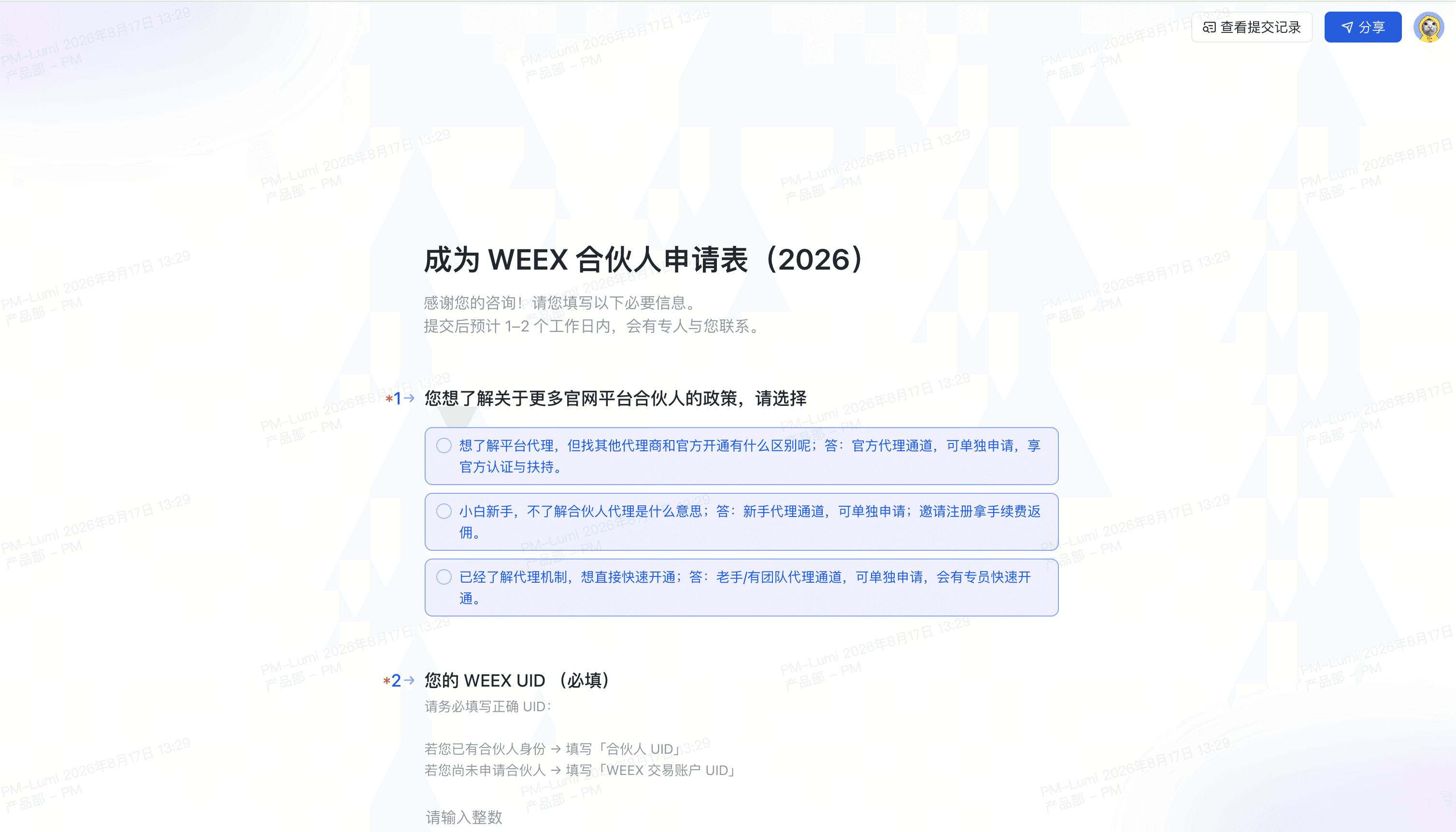
After logging in to the WEEX website, your account type is automatically identified. When you select an affiliate-related feature, you'll be directed to the affiliate application page.
On this page, you can learn more about the Affiliate Program and follow the instructions to submit your application.
2.2 Become an Affiliate
After submitting your application, wait for WEEX to review it.
Once approved, your account type will be updated to "Affiliate".
You can then access the Affiliate Portal directly using your existing WEEX account, without creating a separate affiliate account.
III. Affiliate User Guide
3.1 Seamless login
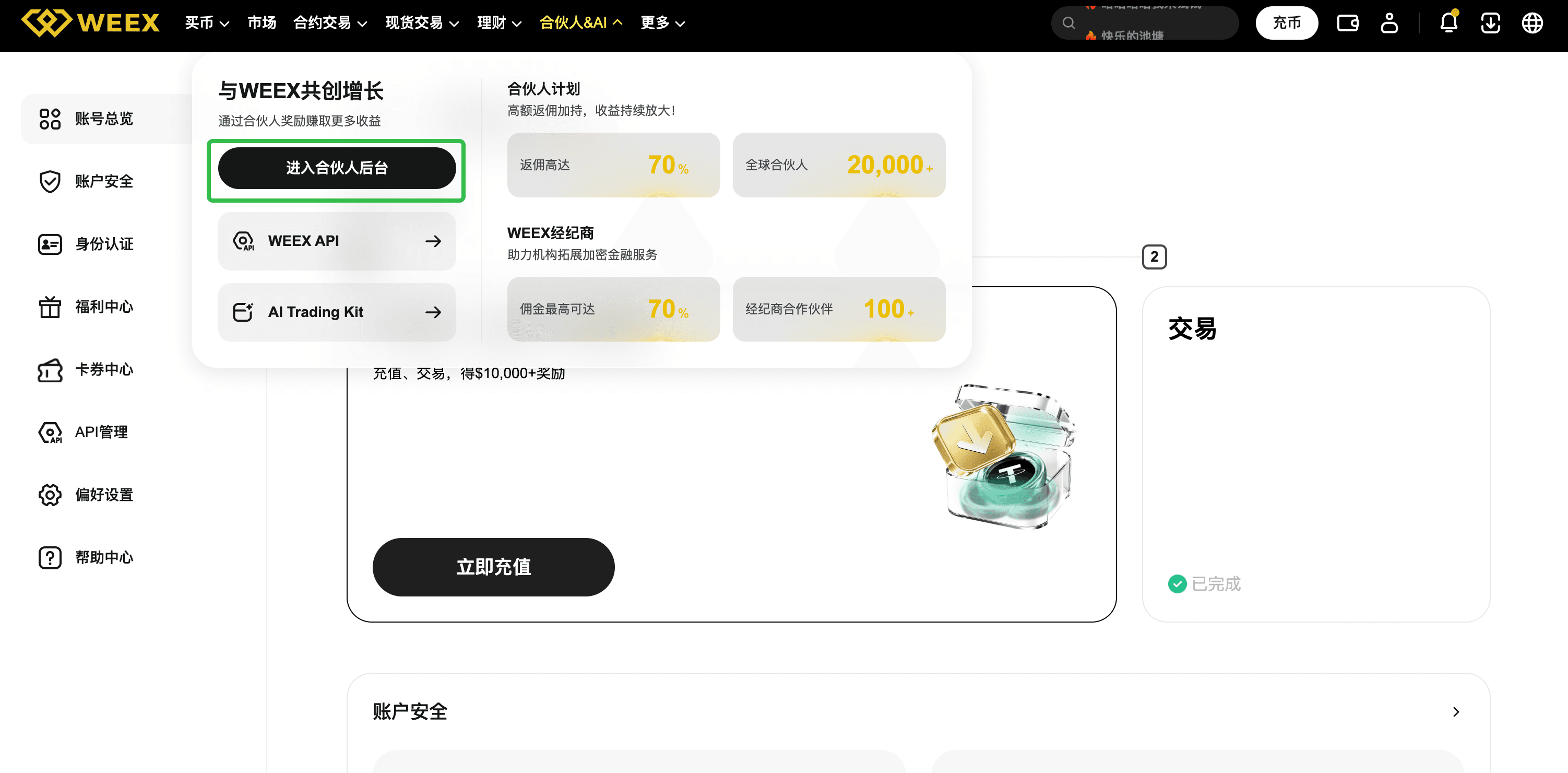
If you're already an affiliate, follow these steps:
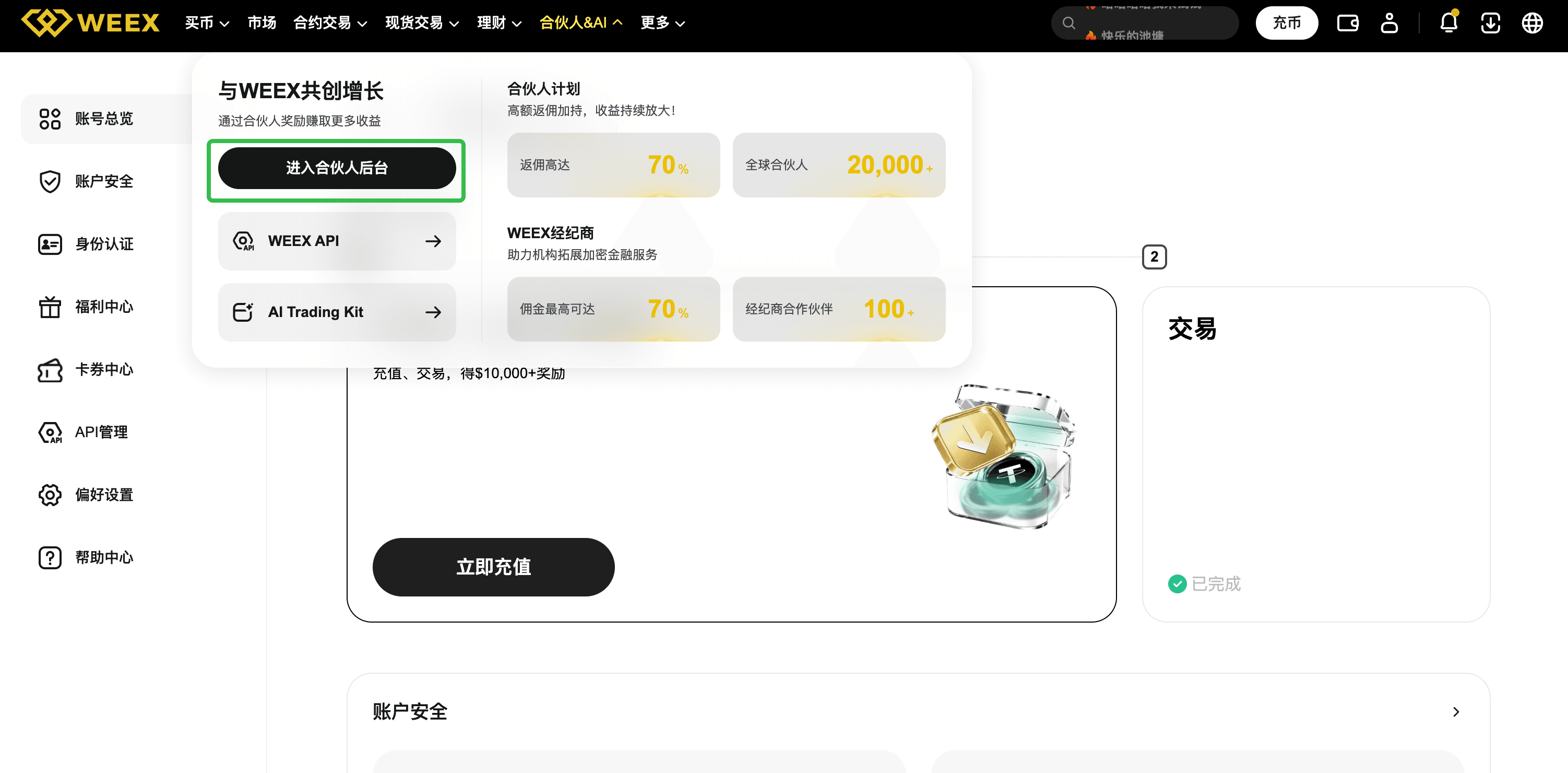
- Log in to the WEEX website using your existing account.
- Select an affiliate-related feature.
- Your affiliate status is automatically recognized.
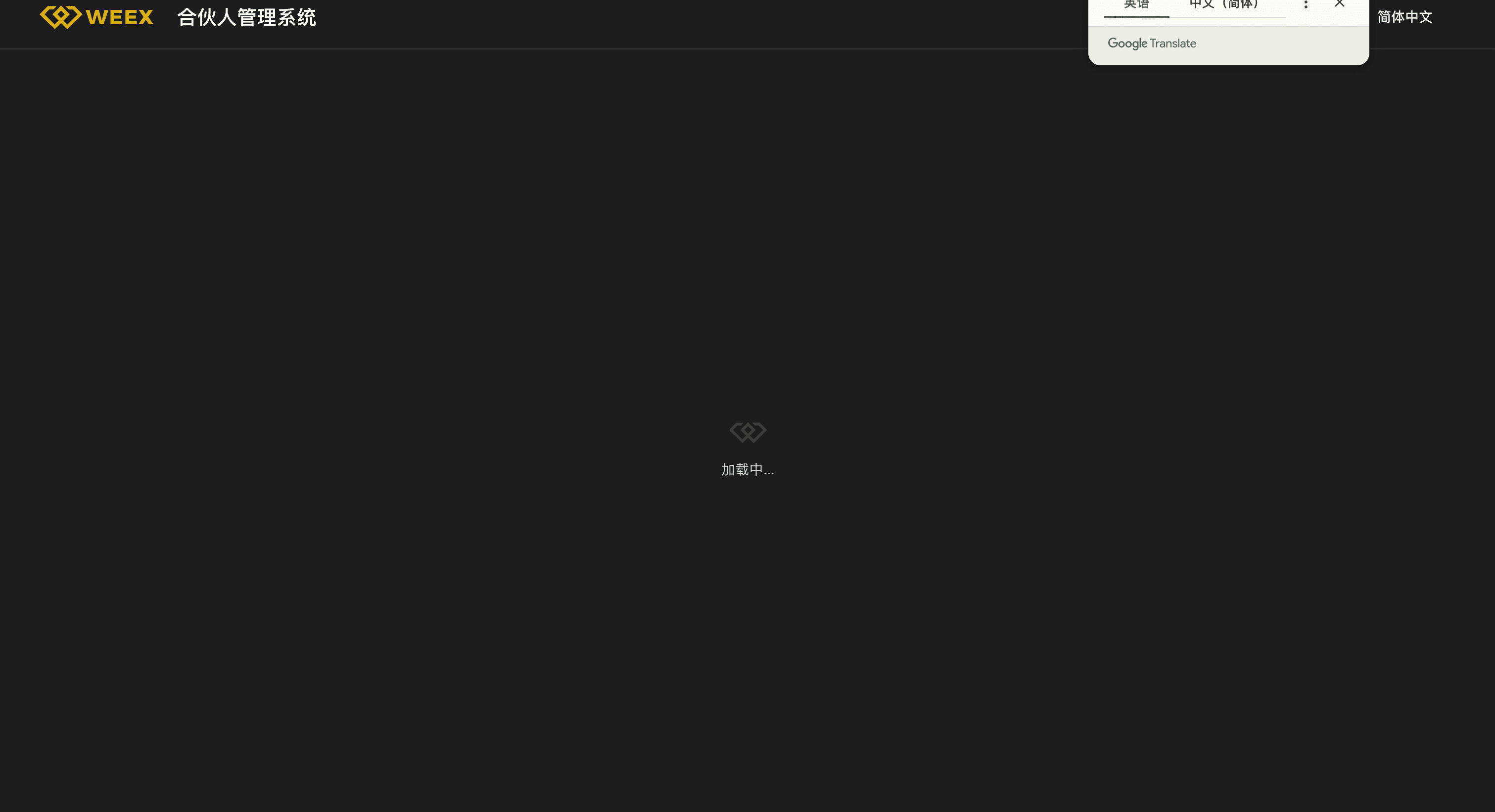
- You'll be directed to the Affiliate Portal.
You can access the Affiliate Portal seamlessly without entering separate login credentials or reauthorizing through a third-party account.
3.2 Key Affiliate Portal features
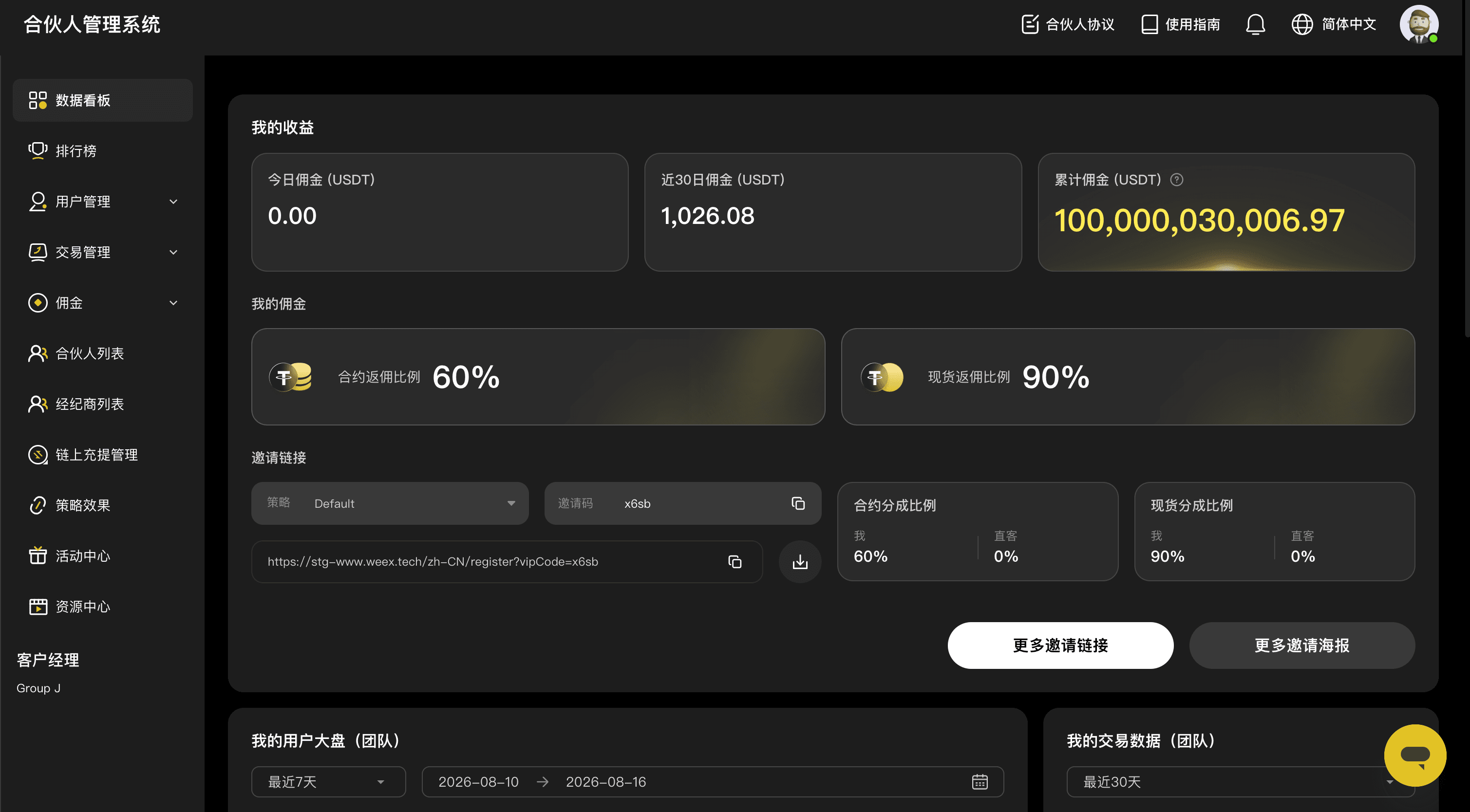
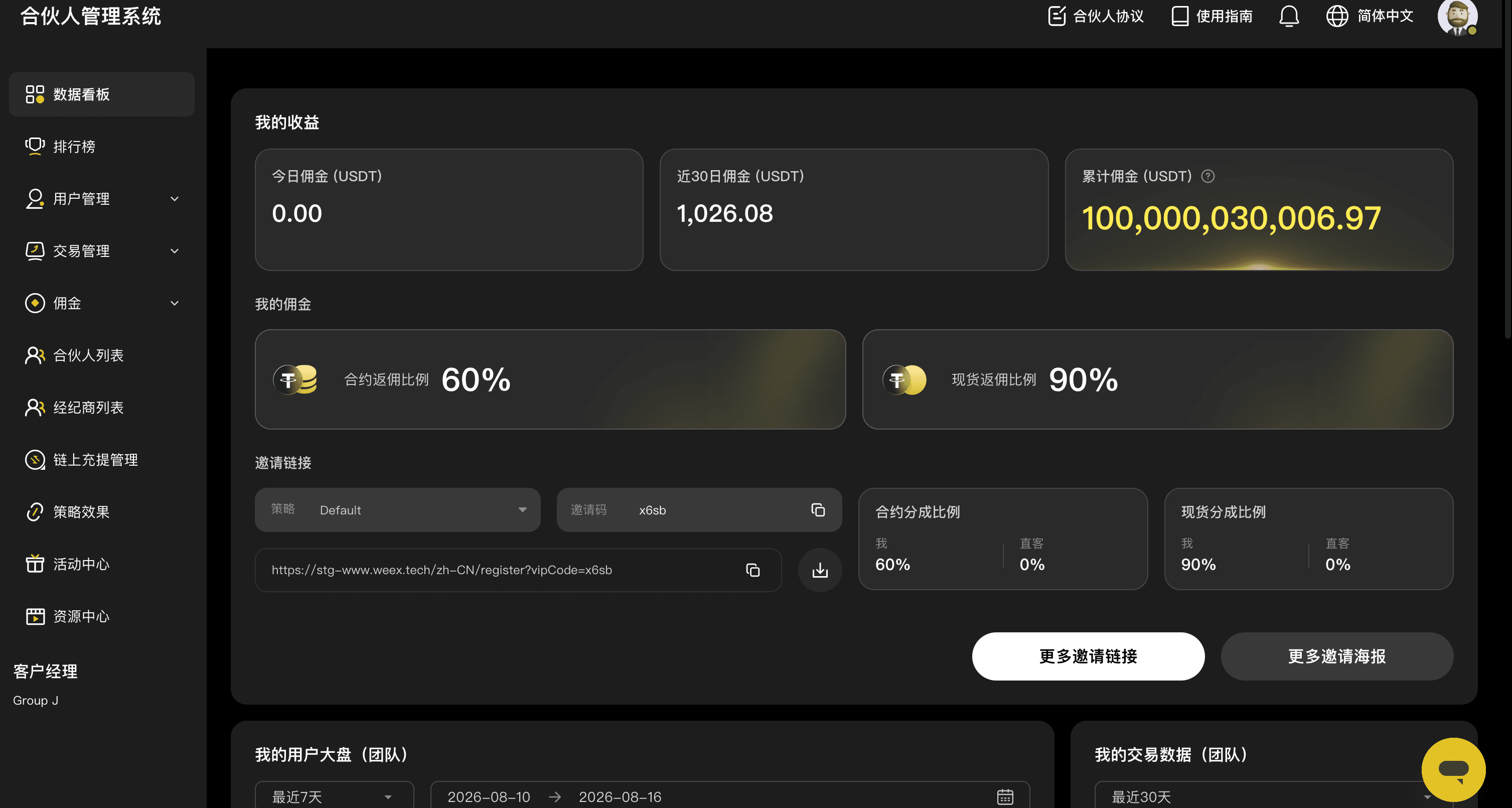
Once in the Affiliate Portal, you can view data and information related to your affiliate account.
Key features include:
- My commission rate
- Total commissions earned
- Pending commissions
- Settled commissions
- Commission details
- Affiliate data and information
Available data and features are subject to the final release of the Affiliate Portal.
IV. Commission data
Once in the Affiliate Portal, you can easily view and manage your commission data.
4.1 Commission rate
You can view your current affiliate commission rate. The actual rate is subject to platform configuration.
4.2 Commission amounts
You can view your commission data, including total commissions earned, pending commissions, and settled commissions.
4.3 Commission details
If available, you can view detailed commission records, including the transactions and amounts associated with each commission.
V. Access by user type
User type | Account | Login method | Main features |
Regular user | WEEX account | Standard login | Access the affiliate application page |
Affiliate | WEEX account | Seamless access to the Affiliate Portal | View commission rates, earnings, and affiliate data |
BD staff | Dedicated business account | Username and password | Access the Affiliate Portal admin panel to manage business operations |
VI. FAQ
Q1: Do I need to create a new account after becoming an affiliate?
No. Affiliates and regular WEEX users share the same account system. Once your affiliate application is approved, you can access affiliate features using your existing WEEX account.
Q2: Do I need to enter my password again to access the Affiliate Portal?
No. Once you're an approved affiliate, simply log in to the WEEX website and select the affiliate entry point. You'll be authenticated and directed to the Affiliate Portal without logging in again.
Q3: Do I need to log in with a third-party account like WeChat or Google?
No. The Affiliate Portal uses your existing WEEX login session to authenticate your account.
Q4: Can regular users access the Affiliate Portal directly?
No. Regular users do not have access to the Affiliate Portal. To gain access, submit an application through the affiliate application page. Once approved, you'll be granted affiliate status and access to the portal.
Q5: What information can I see in the Affiliate Portal?
You can view data associated with your affiliate account, including:
- Commission rate
- Commission amount
- Commission details
- Pending and settled commissions
Available data and features are subject to the final release of the Affiliate Portal.
Q6: Do BD staff and affiliates use the same login method?
Not the same. Affiliates can access the Affiliate Portal directly through their WEEX accounts, while business staff continue to use dedicated credentials to log in to the Affiliate Portal admin panel.
VII. User flow overview
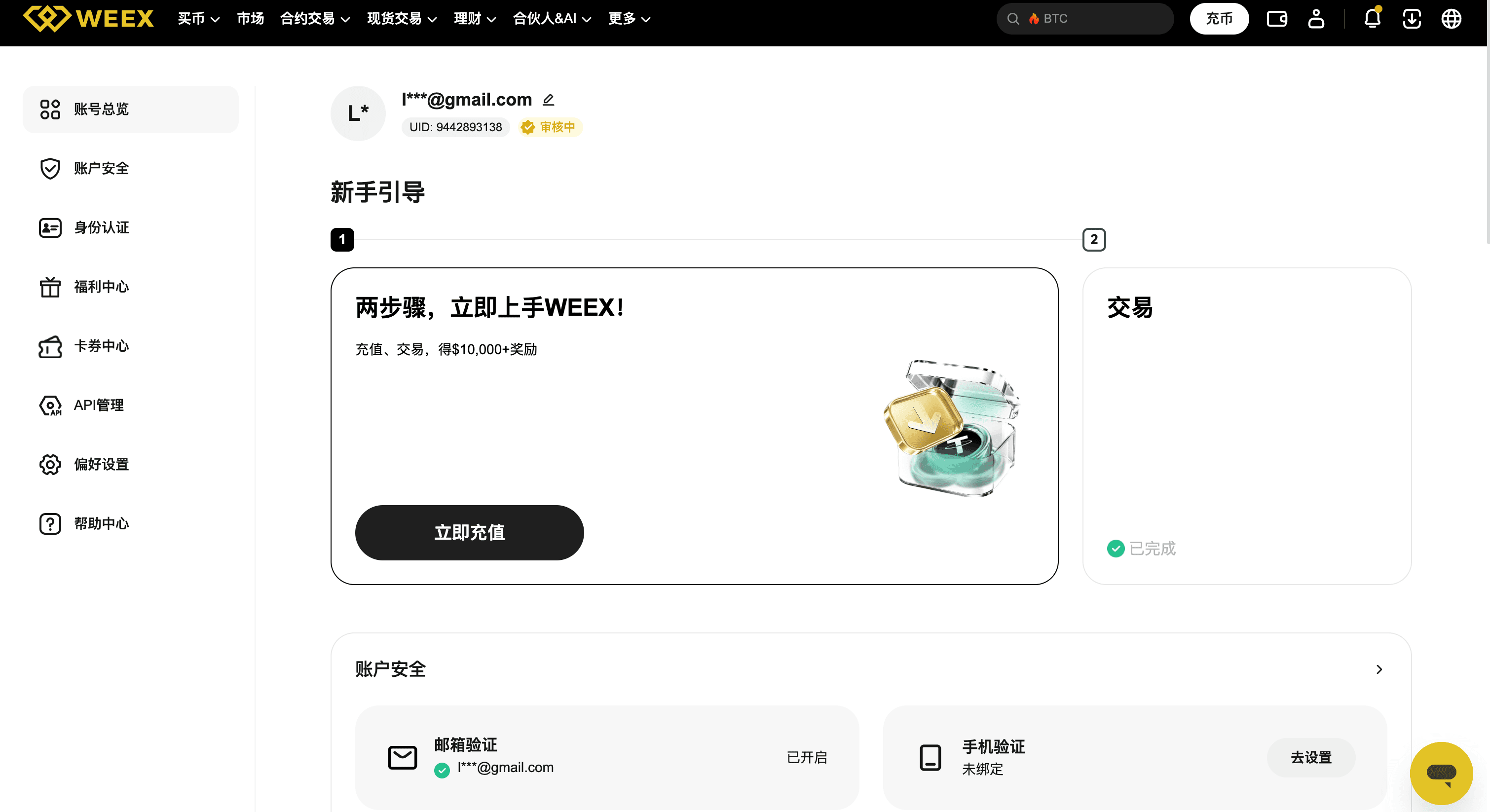
Regular users
Log in to WEEX → Account verification → Regular user → Apply to become an affiliate → Application approved → Become an affiliate
 |  |  |  |
Affiliates
Log in to WEEX → Account verification → Affiliate → Seamless access to the Affiliate Portal → View affiliate data
 |  |  |
BD staff
Open the Affiliate Portal → Enter username and password → Log in → Access the admin panel
 |  |  |
VIII. Key features
The Affiliate Portal offers a seamless experience:
One account. One login. Seamless access.
No need to create a separate affiliate account or remember extra login credentials. Simply use your existing WEEX account to access the Affiliate Portal and easily track your affiliate performance and commission earnings.
Related articles
Share
Gainers


Customer Support:@weikecs
Business Cooperation:@weikecs
Quant Trading & MM:bd@weex.com
VIP Program:support@weex.com
